353 (0) 86 2464633

Introduction to Microsoft Copilot Chat Course
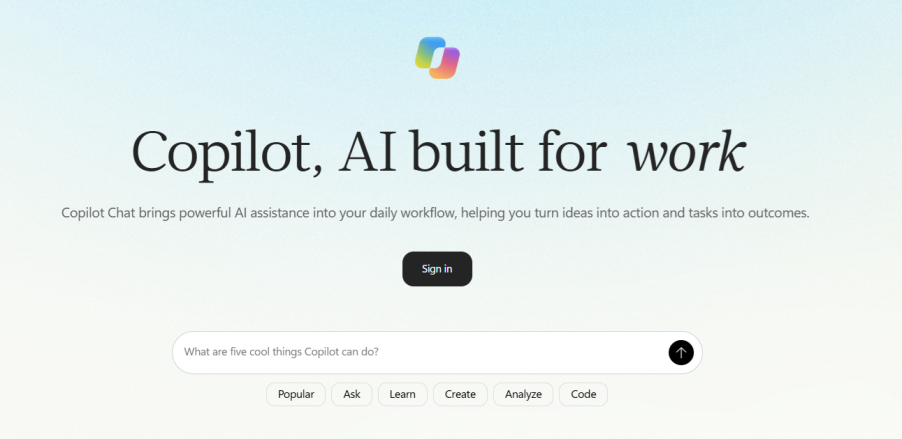
Introduction to Microsoft Copilot Chat
Microsoft Copilot Chat is an AI-powered assistant that can help you create content, generate ideas, summarise information, and work with files.
This practical course introduces participants to Copilot Chat in Microsoft Teams and through a web browser. It explains how to write effective prompts, refine Copilot’s responses and use features such as file uploads, chat history, Prompt Gallery and Copilot Agents.
Participants will also learn how to use Copilot Chat to draft Word documents, create and analyse spreadsheet content and carry out web-based research.
This course is ideal for organisations that would like to:
- Introduce employees to Copilot Chat in Microsoft Teams/web browser
- Demonstrate practical workplace uses for generative AI
- Help employees write clearer and more effective prompts
- Show employees how to work with documents, spreadsheets and uploaded files
- Encourage the responsible use of AI-generated content
Module 1: Getting Started with Copilot Chat
This module introduces Copilot Chat and demonstrates how to access it in Microsoft Teams.
- What is Microsoft Copilot Chat?
- Opening Copilot Chat in Microsoft Teams
- Understanding the Copilot Chat interface
- Starting a new conversation
Module 2: Using Copilot Responsibly
Copilot can produce helpful results, but its responses should always be reviewed. This module explains how to check Copilot’s output and use AI responsibly.
- Understanding how Copilot generates responses
- Recognising that responses may vary
- Protecting sensitive and confidential information
- Following organisational policies and permissions
Module 3: Writing Effective Prompts
Participants learn how to give Copilot clear instructions and provide the context needed to produce more useful responses.
- What is a prompt?
- Writing simple and detailed prompts
- Defining the task or required outcome
- Providing relevant context
- Identifying the intended audience
- Improving results with follow-up prompts
Module 4: Managing Prompts and Conversations
This module demonstrates how to save useful prompts and manage previous Copilot conversations.
- Using Prompt Gallery
- Saving frequently used prompts
- Viewing Copilot chat history
- Returning to an earlier conversation
- Renaming chats so they are easier to find
Module 5: Creating Word Documents
Participants learn how Copilot Chat can help create a first draft of a document and export the finished content to Microsoft Word.
- Using uploaded files to provide context
- Using web information to support a draft
- Reviewing Copilot’s sources and references
- Exporting the completed content to Word
- Finding created documents in OneDrive
Module 6: Creating and Analysing Spreadsheets
This module explores how Copilot Chat can help participants create, organise and analyse spreadsheet content using plain English instructions.
- Creating a spreadsheet from a written description
- Creating formulas using plain English
- Uploading spreadsheet data for analysis
- Requesting summaries and insights
- Checking Copilot’s calculations and results
- Downloading the completed spreadsheet
Module 7: Introduction to Copilot Agents
The final module introduces Copilot Agents and explains how they can provide a more focused Copilot experience for a particular subject, task or business process.
- What is a Copilot Agent?
- Understanding the purpose of an agent
- Giving an agent a specific role or area of expertise
- Using selected websites as information sources
Frequently Asked Questions
What is Microsoft Copilot Chat?
Microsoft Copilot Chat is an AI-powered chat assistant that can help users draft content, summarise information, generate ideas, work with uploaded files and complete a range of everyday workplace tasks.
Who is this course suitable for?
This course is suitable for beginners, Microsoft 365 users and organisations that want to introduce employees to the practical and responsible use of Copilot Chat.
Do participants need previous experience with AI?
No. The course starts with the basics and explains Copilot Chat, prompting and generative AI in clear, non-technical language.
Does the course cover prompt writing?
Yes. Participants learn how to structure prompts by defining the task, providing context, identifying the audience and specifying the required format, tone and constraints.
Is Copilot Chat the same as Microsoft 365 Copilot?
No. Copilot Chat provides an AI-powered chat experience, while Microsoft 365 Copilot includes additional integration with Microsoft 365 applications and organisational data.
Can Copilot Chat work with uploaded files?
Files, images and screenshots can be added to provide Copilot with additional context. The available options may depend on the user’s licence and organisational settings.
Can participants use Copilot Chat to create Word documents?
Yes. The course demonstrates how Copilot Chat can help draft and refine content before exporting it to Microsoft Word.
Does the course include spreadsheets?
Yes. Participants are shown how to use plain English prompts to create, organise and analyse spreadsheet content.
Does the course cover Copilot Agents?
Yes. The final module introduces Copilot Agents and explains how an agent can be configured to support a particular subject, task or business process.
Does the course cover data protection and responsible use?
Yes. The course emphasises the importance of protecting confidential information, working within organisational permissions and following internal policies when using Copilot.