353 (0) 86 2464633

Introduction to Microsoft SharePoint course
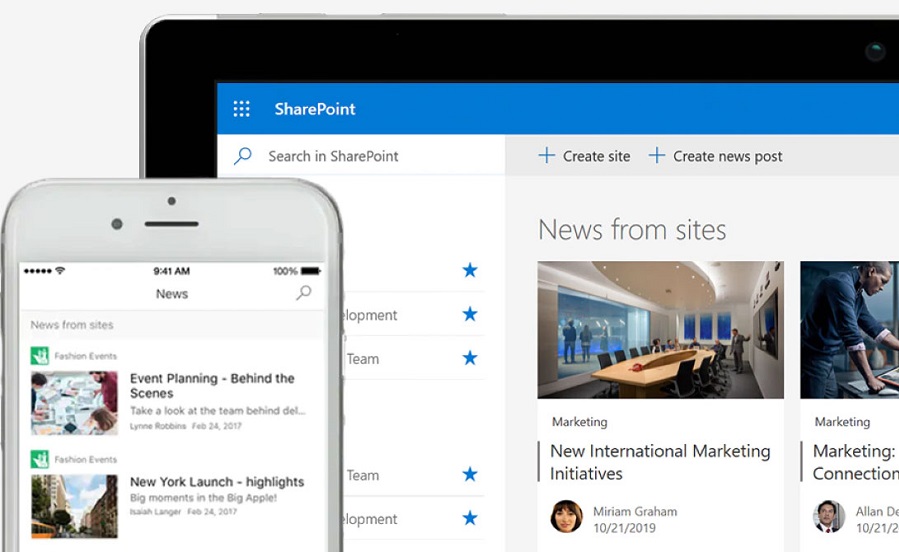
Introduction to Microsoft SharePoint
About This Course
This practical one-hour course introduces Microsoft SharePoint and demonstrates how it supports communication, collaboration and document management within Microsoft 365. Participants will learn how SharePoint works alongside Microsoft Teams and OneDrive and discover the key features used by organisations to work together more effectively.
The course provides an overview of SharePoint sites, document libraries, lists and permissions, helping users understand where content is stored, how documents can be shared securely and how teams can collaborate efficiently.
This course is ideal for organisations who would like to:
- Introduce employees to Microsoft SharePoint Online
- Improve document management and collaboration
- Help users understand SharePoint, Teams and OneDrive
- Promote better information sharing across the organisation
- Support the adoption of Microsoft 365
Module 1: SharePoint and Microsoft 365
This module introduces SharePoint and explains how it fits into the wider Microsoft 365 platform.
- How SharePoint is central to Microsoft 365
- The differences between SharePoint, OneDrive and Teams
- Choosing the right tool for different business scenarios
Module 2: SharePoint Fundamentals
Learn how SharePoint is used as both an intranet and a collaboration platform.
- The SharePoint start page
- SharePoint sites and navigation
- Using SharePoint as an intranet
- Using SharePoint for collaboration
Module 3: Working with Document Libraries
This module demonstrates how SharePoint document libraries support document management and team collaboration.
- OneDrive versus SharePoint document libraries
- Uploading and managing files
- Version history
- Co-authoring documents
- Check-in and check-out
Module 4: Introduction to SharePoint Lists
Discover how SharePoint Lists can be used to organise information and support business processes.
- Creating custom SharePoint Lists
- Task and tracking lists
- Working with SharePoint Lists and Excel
Module 5: Sharing and Permissions
Understand how SharePoint permissions help organisations collaborate securely.
- Site owners, members and visitors
- Granting access to users
- Sharing files and folders internally
- Permission management best practices
Frequently Asked Questions
What is Microsoft SharePoint?
Microsoft SharePoint is a collaboration and document management platform included with Microsoft 365. It enables organisations to store, share and manage information securely while supporting teamwork and communication.
Who should attend this Introduction to SharePoint course?
This course is designed for employees who are new to SharePoint and would like a practical understanding of how SharePoint is used within Microsoft 365.
Do I need previous SharePoint experience?
No. This course is suitable for beginners and assumes no prior knowledge of SharePoint.
Will I learn the difference between SharePoint, Teams and OneDrive?
Yes. The course explains how these Microsoft 365 applications work together and provides guidance on when each should be used.
Does the course cover document libraries?
Yes. Participants will learn how document libraries are used to store, organise, share and collaborate on documents.
Will permissions and sharing be covered?
Yes. The course includes an introduction to SharePoint permissions, file sharing and external collaboration.
Are SharePoint Lists included?
Yes. Participants will learn how SharePoint Lists can be used to track information, manage tasks and support simple business processes.
Can this course be delivered online?
Yes. The course can be delivered online via Microsoft Teams.
Can the training be customised?
Yes. Course content can be tailored to reflect your SharePoint environment, business processes and organisational requirements.